Rescue Soft and Noisy Images in Real-World Workflows with Aiarty Image Enhancer (Holiday Special Offer)
Every professional archive has them: those “near-miss” frames where the composition is perfect, but the technical execution hits a wall. Perhaps it was a handheld shot that suffered from slight motion blur , or a low-light wedding scene where high-ISO grain began to erode the fine micro-textures of the bride’s lace. Traditionally, these compromises were accepted as the physical limits of our equipment.
My recent testing of Aiarty Image Enhancer, however, has made me reconsider what truly qualifies as a “discarded” file. Instead of the aggressive, “waxy” smoothing often associated with conventional noise reduction, this software applies a more nuanced, data-driven approach – reconstructing detail rather than simply blurring it away.
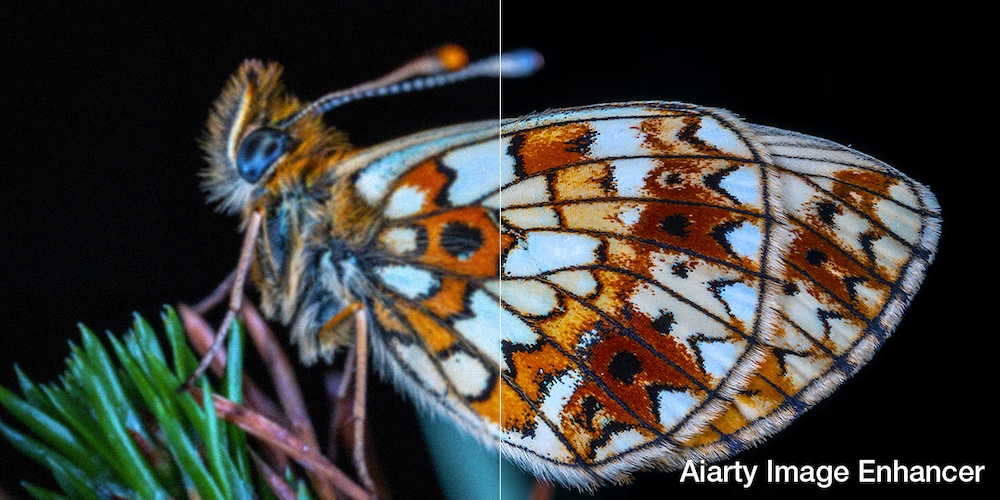
What makes this particularly relevant in a professional workflow is how effectively it extends the practical reach of existing lenses and sensors. I found it especially useful in situations where getting closer to the subject wasn’t possible and a heavy crop was unavoidable. In many cases, crops in the 50% or 70% range would normally strip away fine-frequency details, but here the AI-generated data helps reserve depth and structure. The result feels less like digital interpolation and more like I’m shooting with a higher-resolution sensor, allowing me to refine my composition after the fact without sacrificing the “raw-like” depth of the shot.
At the time of writing, Aiarty Image Enhancer is available as part of a limited-time Buy 1 Get 2 Free promotion, offering 36% off the lifetime license along with two additional image and video processing tools at no extra cost.
With a full lifetime license, you’ll enjoy:
- One-time purchase with no subscriptions or recurring fees
- Installation on up to 3 Windows or Mac computers
- Unlimited access to all features.
- Free lifetime updates and technical support.
- 30-day money-back guarantee
Aiarty Image Enhancer: A Must-Have Tool for Photographers
For photographers, a perfect shot is about preserving the soul of a moment in every pixel. Whether it’s the micro-textures of a landscape or the delicate tones of a portrait, image integrity is non-negotiable. Aiarty Image Enhancer is engineered to bridge the gap between raw capture and professional vision, offering an AI-driven toolset that respects the optics of your gear while pushing technical boundaries.
Unlike basic sharpening tools, Aiarty performs a deep-tissue analysis of your files. It intelligently reconstructs lost data – neutralizing high-ISO sensor noise, smoothing tonal gradations in sunsets, and restoring clarity to soft frames. By supporting high-fidelity RAW workflows, it ensures your high-end sensors perform at their absolute peak, delivering results that traditional interpolation simply cannot match.
For pros, Aiarty Image Enhancer is a force multiplier that slashes hours of tedious cleanup, allowing you to focus on creativity. For enthusiasts, it provides an intuitive path to gallery-quality results without the steep learning curve. From refining a single masterpiece to batch-processing an entire event, Aiarty ensures every export meets the highest standards of professional excellence.
Why Aiarty Image Enhancer is a Game-Changer for Photographers
Clean High-ISO Grain While Preserving Sensor-Level Micro-Textures
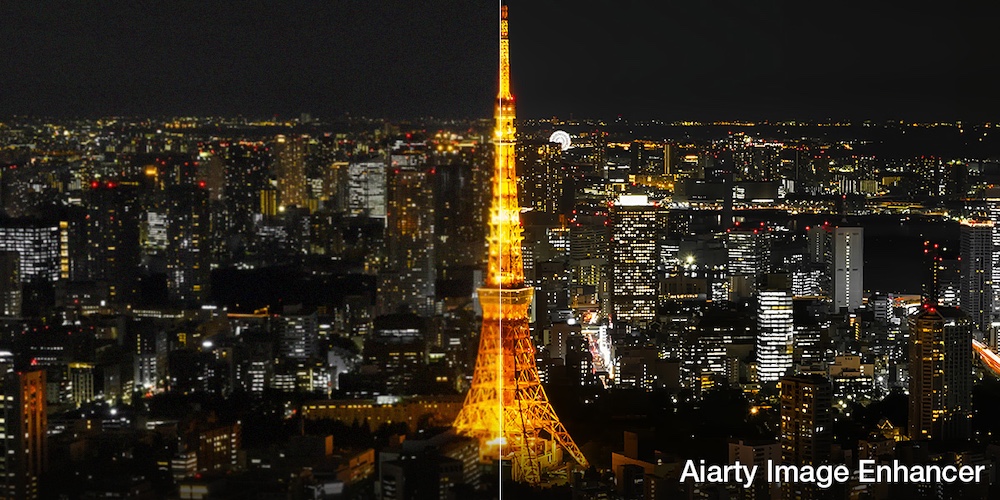
In low-light environments – be it a dimly lit wedding venue or a moonless landscape – high ISO settings often introduce aggressive luminance and chroma noise. Unlike traditional noise reduction that “smears” details into a waxy mess, Aiarty Image Enhancer utilizes the Smooth-diffuse model. It intelligently distinguishes between noise artifacts and actual image data, neutralizing grain while reconstructing the micro-textures of skin pores, fabric fibers, and architectural surfaces. The result is a clean, “film-like” finish that looks natural even at 100% zoom.
Restore “Tack-Sharp” Precision to Soft Focus and Shaken Frames
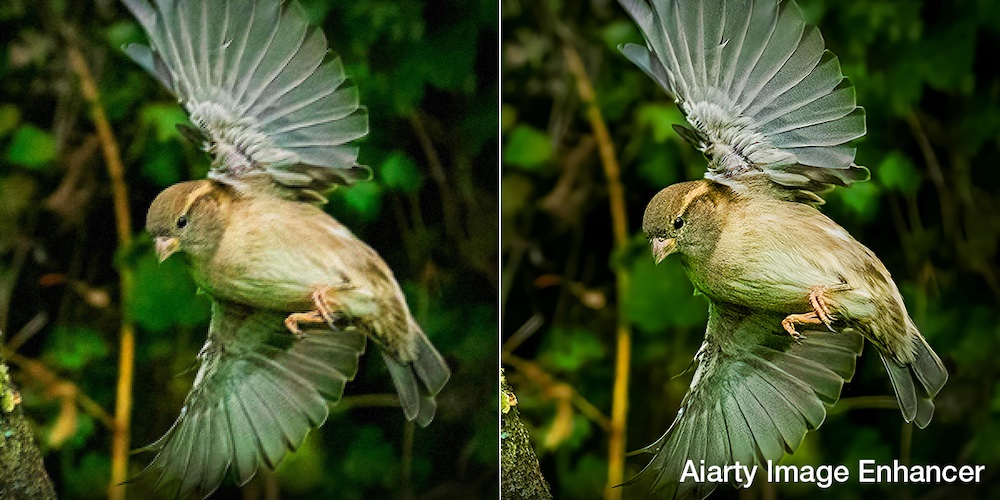
Even the best AF systems can miss by a hair, and hand-held shooting at slow shutter speeds often results in “soft” images. Aiarty’s Deblur engine analyzes the pixel-spread caused by motion or lens diffraction. By utilizing deep convolutional neural networks, it “tightens” the blurry edges and re-aligns the visual information. For wildlife or sports photographers, this means the difference between a discarded frame and a sharp, portfolio-ready masterpiece.
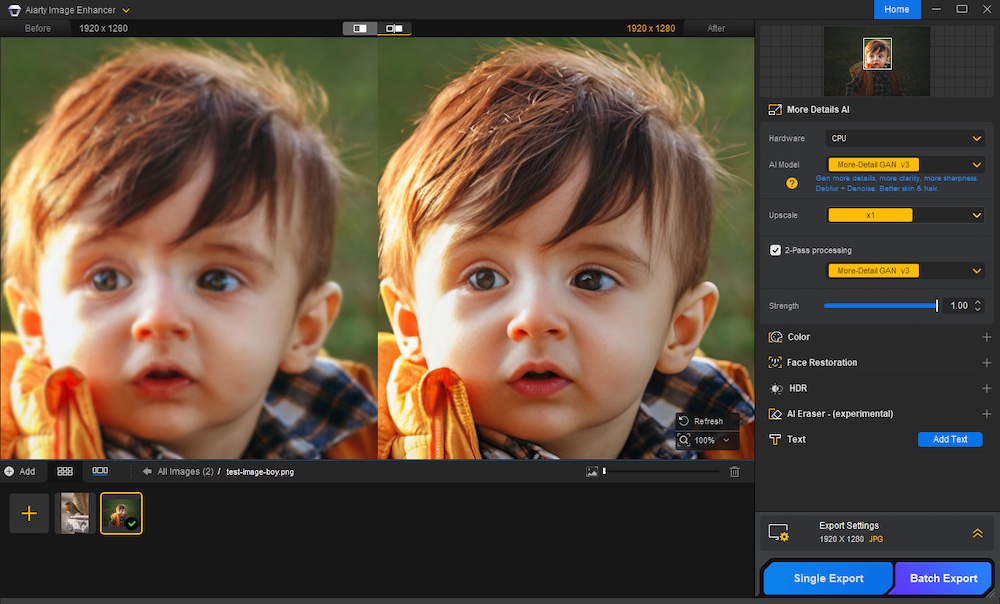
Ultra-High-Res Upsampling for Gallery-Scale Fine Art Prints
Photographers often need to crop heavily to achieve the perfect composition, which can leave the final image with insufficient resolution for printing. Aiarty’s Upscale feature allows for up to 800% (8X) enlargement, reaching resolutions up to 32K. This isn’t just simple interpolation; the AI generates new, high-frequency details to fill the gaps, ensuring that even a 12MP legacy file can be transformed into a high-density print suitable for gallery exhibitions or billboard-scale commercial use.
Enhance Dynamic Range and Color Fidelity for a True-to-Life Render
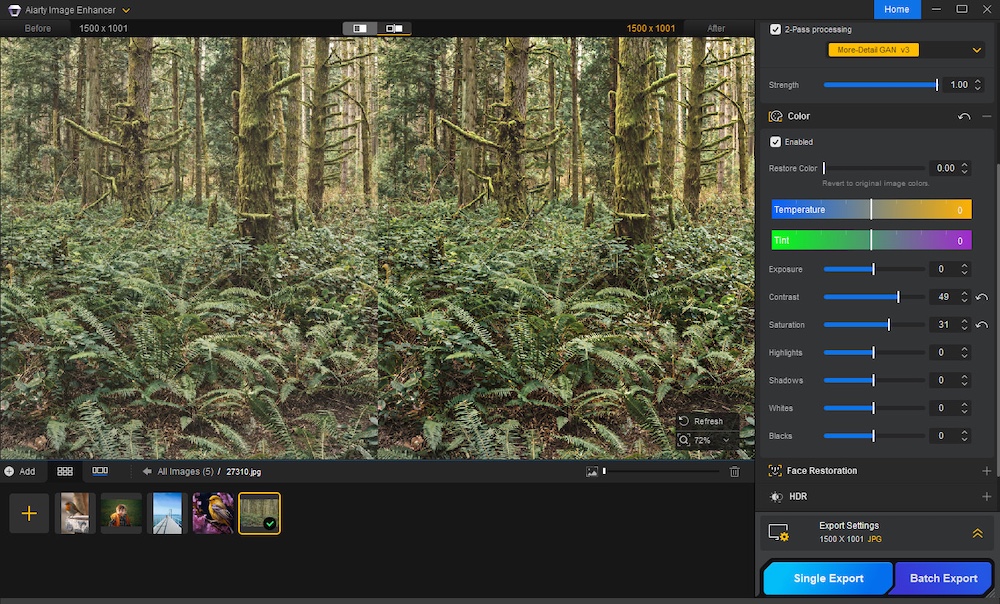
The Enhance Color feature acts as a sophisticated digital restorer. It addresses common digital pitfalls like color banding in gradients (such as sunsets) and loss of shadow detail. By analyzing the dynamic range of the scene, it smoothes out tonal transitions and restores the natural saturation that can be lost during heavy exposure recovery. It brings a “raw-like” depth to compressed images, making the final output feel more vibrant and lifelike.
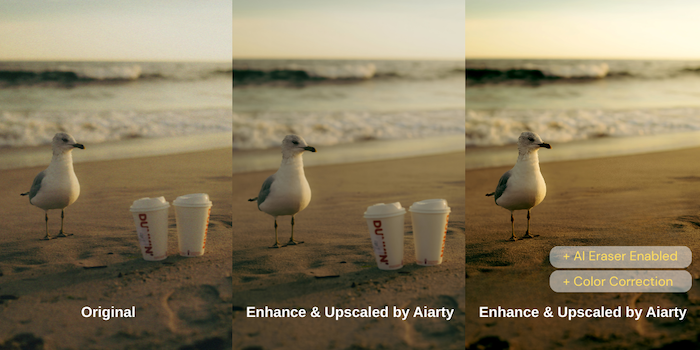
(New) AI Eraser: Professional Cleanup Without the Manual Labor
The AI Eraser is an essential tool for perfecting composition after the shutter has clicked. Whether it’s a stray tourist in a landscape or a distracting power line cutting through a street scene, the AI doesn’t just “blur” the area. It interprets the surrounding lighting, perspective, and texture to intelligently reconstruct the background. For the meticulous photographer, this provides a professional-grade cleanup that preserves the continuity of the shot without the tedious manual labor of the Clone Stamp tool.

High-Volume Batch Processing and Secure Local Workflow
Efficiency is the backbone of a successful photography business. Aiarty allows you to import hundreds of images and apply consistent enhancement parameters across the entire set via Batch Processing. Crucially, all AI computations happen locally on your machine. Your unreleased work is never uploaded to a server, ensuring total copyright privacy and a workflow that remains functional even in remote locations without an internet connection.
Lightning-Fast Performance via Full GPU Optimization
Time spent watching a progress bar is time away from the lens. Aiarty Image Enhancer is meticulously optimized for NVIDIA, AMD, and Intel GPUs. By leveraging hardware acceleration, it handles high-resolution RAW exports and massive upscaling tasks in seconds rather than minutes. This speed ensures that AI enhancement becomes a seamless, non-disruptive part of your standard post-processing routine.
Availability and Pricing
If you are interested in adding Aiarty Image Enhancer to your workflow, a limited-time promotion is currently available, offering up to 36% on the lifetime license. The license provides unlimited access to all features, including free lifetime upgrades and technical support – with no recurring subscription fees.
The lifetime license allows installation on up to three Windows or Mac computers, making it suitable for multi-device setups. In addition, the current promotion includes two bonus tools at no extra cost, effectively a “buy one, get two free” offer.
Final Verdict: Is Aiarty Image Enhancer Worth It?
In an era where AI tools are becoming commonplace, Aiarty Image Enhancer distinguishes itself by staying true to photographic integrity. Rather than inventing detail, it focuses on recovering the image quality that real-world shooting conditions or hardware limitations can sometimes compromise.
For professional photographers, it works as a reliable “insurance policy” for soft or under-resolved shots, and a capable engine for preparing images for large-format output. For enthusiasts, it offers a straightforward way to elevate images to a clean, polished look—without spending hours inside complex editing workflows.
If your archive includes photos you’ve always wished were sharper, cleaner, or better suited for large prints, Aiarty Image Enhancer is well worth considering.