“The Workflow is Now Complete”
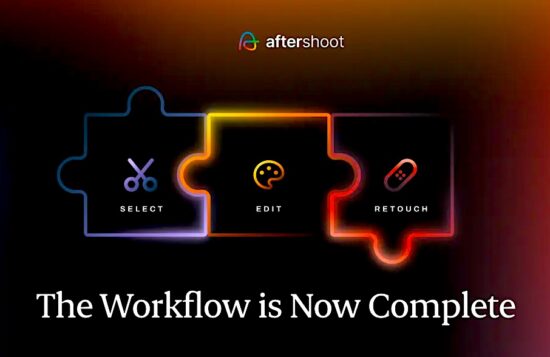
Aftershoot’s biggest recent news is the completion of its end-to-end post-processing workflow, announced on May 28: “The Workflow is Now Complete.”
The company has evolved from an AI culling-focused tool into a full all-in-one platform for culling (Select), AI + manual editing (Edit), retouching (Retouch), and client delivery via Aftershoot Galleries. This shift eliminates the need to switch between multiple apps (e.g., Lightroom for editing/delivery).
Use coupon code RUMORS for a 15% discount at Aftershoot.

Here are the details:
Key Elements of the May 2026 Update
- Built-in RAW Editing: New dedicated RAW editor with manual tonal adjustments, batch processing, sliders, and fine-tuning of AI edits. You can now edit RAW files directly in Aftershoot and export JPEGs or TIFFs without leaving the app. This includes self-improving AI profiles that learn from your adjustments, plus pipeline tools such as advanced masking, denoising, object removal, HSL/color grading, and more precise cropping/straightening (including aggressive, subject-focused crops).
- Aftershoot Galleries (new, highlighted with “New” on the homepage): Integrated client delivery platform with 100 GB free storage. Features include built-in proofing, face detection/filtering by person, favorites, branded galleries, and direct export from Aftershoot (no re-uploads or downloads needed). It integrates print sales via labs like WHCC, Bay Photo, and Atkins Pro Labs. The goal is a better client experience than basic shares or Google Drive links.
- Culling (Select) Enhancements: Smarter duplicate/variation detection (distinguishes intentional variations from true duplicates, ~20% tighter culls), improved blur/closed-eye detection, key subjects prioritization, binary selection states, and “cull to target” (specify how many keepers you want). UI now clearly distinguishes AI Automated Cull vs. AI Assisted Cull.
- Editing & Retouching Improvements: More consistent white balance/exposure across albums, better before/after previews, enhanced acne/blemish/hair/glare detection with texture preservation, Background Replacement (beta with custom uploads), Cloth Dewrinkle, object removal, and subtle body reshaping. Retouching works on RAW files.
The update positions Aftershoot as a privacy-focused (local processing), non-destructive workflow tool that learns your style via training on your edits/presets or imported Lightroom profiles. It includes 30+ pro styles in the marketplace.
2026 Roadmap
Aftershoot also published its 2026 Roadmap (full AI Retouching rollout with one-click skin/hair/glare tools, advanced culling, smarter editing, and expanded creator styles/marketplace):
- Further AI refinements in culling (smarter technical detection, key subjects, cull-to-target).
- Enhanced editing (better profile accuracy, advanced masking/cropping, more marketplace styles with previews).
- Expanded RAW Editing (histogram, tone curves, deeper masking, etc.).
- More AI Retouching tools (one-click object removal, body reshaping, background removal, natural skin work).
- Aftershoot Gallery delivery enhancements (already live).
- Tethered shooting (sneak peek): Planned rock-solid tethering with fast/stable connections, broad camera support, auto-import/organization, on-set proofing, and instant gallery pushes. Not yet released.
The company claims users save significant time (e.g., 60+ days per year in repetitive work across their user base) while maintaining creative control and style consistency.
Pricing Updates
Aftershoot introduced more flexible modular pricing aligned with the complete workflow:
- Select (Culling): ~$10/mo (annual) or $15/mo.
- Edit: ~$30/mo (annual) or $35/mo.
- Retouch: ~$20/mo (annual) or $25/mo.
- Aftershoot Complete (Select + Edit + Retouch): ~$45/mo (annual, discounted) or $55/mo.
- Galleries: Currently free with 100 GB storage (future pricing TBD).
“AI that works for you, not against you”
Aftershoot recently issued a reassuring manifesto titled “AI That Works For You, Not Against You.” It directly addresses photographers’ fears that AI will replace them, emphasizing that the camera will always need a human behind it for intuition, light reading, and client connection. Aftershoot positions its AI as a supportive tool built by photographers for photographers – designed only to handle tedious tasks like culling and editing so you can spend more time shooting.
Aftershoot outlines three firm commitments: they will never create tools to replace you, they will always ask explicit permission before using your images (with easy opt-out or deletion), and they will build the product together with their Founders Community of photographers who help shape the roadmap. A personal note from founder Harshit explains how the company started in 2019 with a simple request to reduce culling time and has stayed true to its mission of returning time to creators ever since.