Evoto AI is a powerful, AI-driven photo editing platform built specifically for professional photographers who want to dramatically speed up their post-production workflow without sacrificing natural-looking results. It combines advanced per-face retouching, intelligent batch processing, color grading tools, and creative features like the AI Lab into one seamless system that supports the entire process – from tethered shooting and culling to final delivery. Available on desktop, mobile, iPad, and in the browser, Evoto helps photographers handle high-volume work efficiently while maintaining creative control.
- Website
- Free trial with free credits
- Features
- Pricing
- Blog
- Additional information:
Evoto AI: The AI Retouching Powerhouse
Professional photography has always been a race against time – especially after the shutter clicks. Between culling thousands of frames, meticulous skin retouching, stray hair removal, color consistency, and client delivery, post-production can eat up days that could otherwise be spent shooting or with clients.
Evoto AI (evoto.ai) positions itself as the solution: a specialized, AI-first photo editing and retouching platform built specifically for working photographers who need speed, consistency, and natural-looking results without sacrificing control.
Product Information & Key Features
Evoto is an all-in-one AI photo editing suite that covers the full workflow from tethered capture through culling, retouching, color work, and delivery. It runs as a native desktop app (macOS & Windows), with companion iPad/mobile apps and a browser-based version for lighter or on-the-go use. There’s also Evoto Video for portrait retouching and color correction on moving footage, plus an Instant Photo Gallery tool for client proofing and delivery. The software handles both RAW and JPEG files and is fast – users and benchmarks routinely report processing hundreds of images in minutes once presets are dialed in.
Standout AI capabilities include:
- Per-face / subject-aware retouching: Skin smoothing that preserves natural texture (freckles, pores), blemish/acne/wrinkle reduction, skin tone balancing, glasses glare removal, stray hair cleanup (inside and outside the frame), red-eye fix, teeth whitening/straightening, and even “open eyes” fixes.
- Body & clothing tools: Subtle slimming, wrinkle/de-blemish removal on clothes, and color-changing options.
- Background & environment tools: One-click or masked background removal/clean-up, distraction removal, sky replacement, and backdrop enhancement.
- Smart culling: AI quickly flags and removes closed eyes, blurry shots, and duplicates.
- Batch intelligence: Apply edits or presets across a set; the AI adapts per image rather than applying blunt global filters.
- Additional tools: AI-based old-photo restoration, color matching/grading, tethered shooting support, and a preset system with sync across devices.
AI Color Adjustments
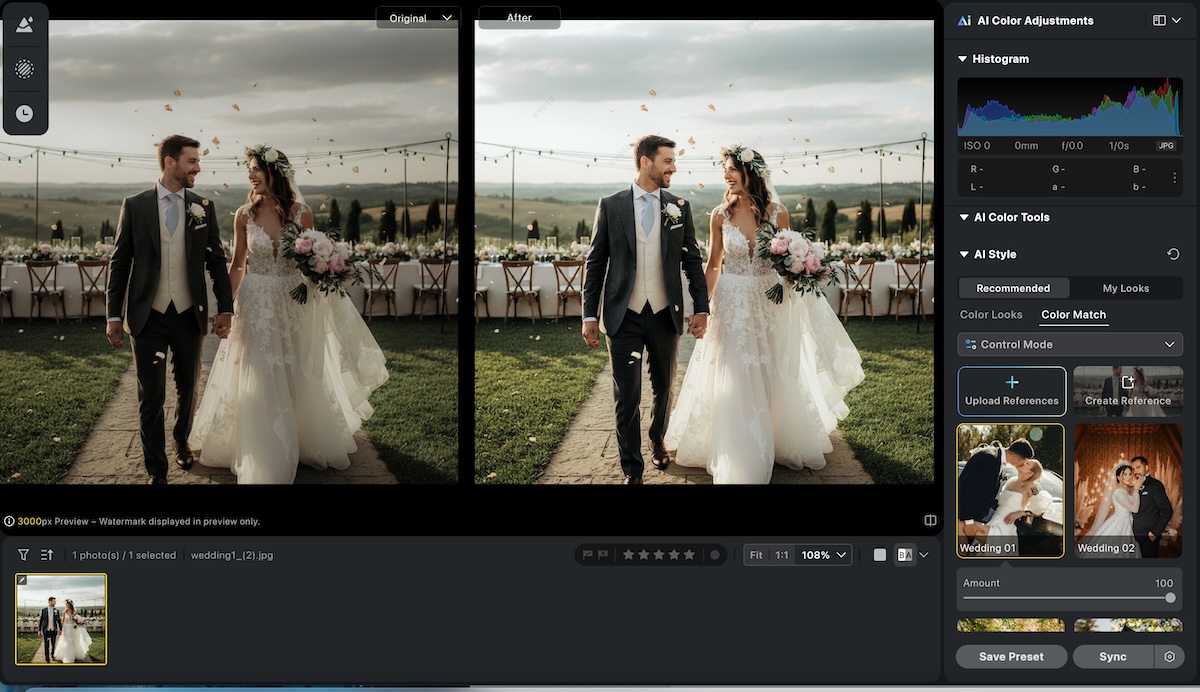
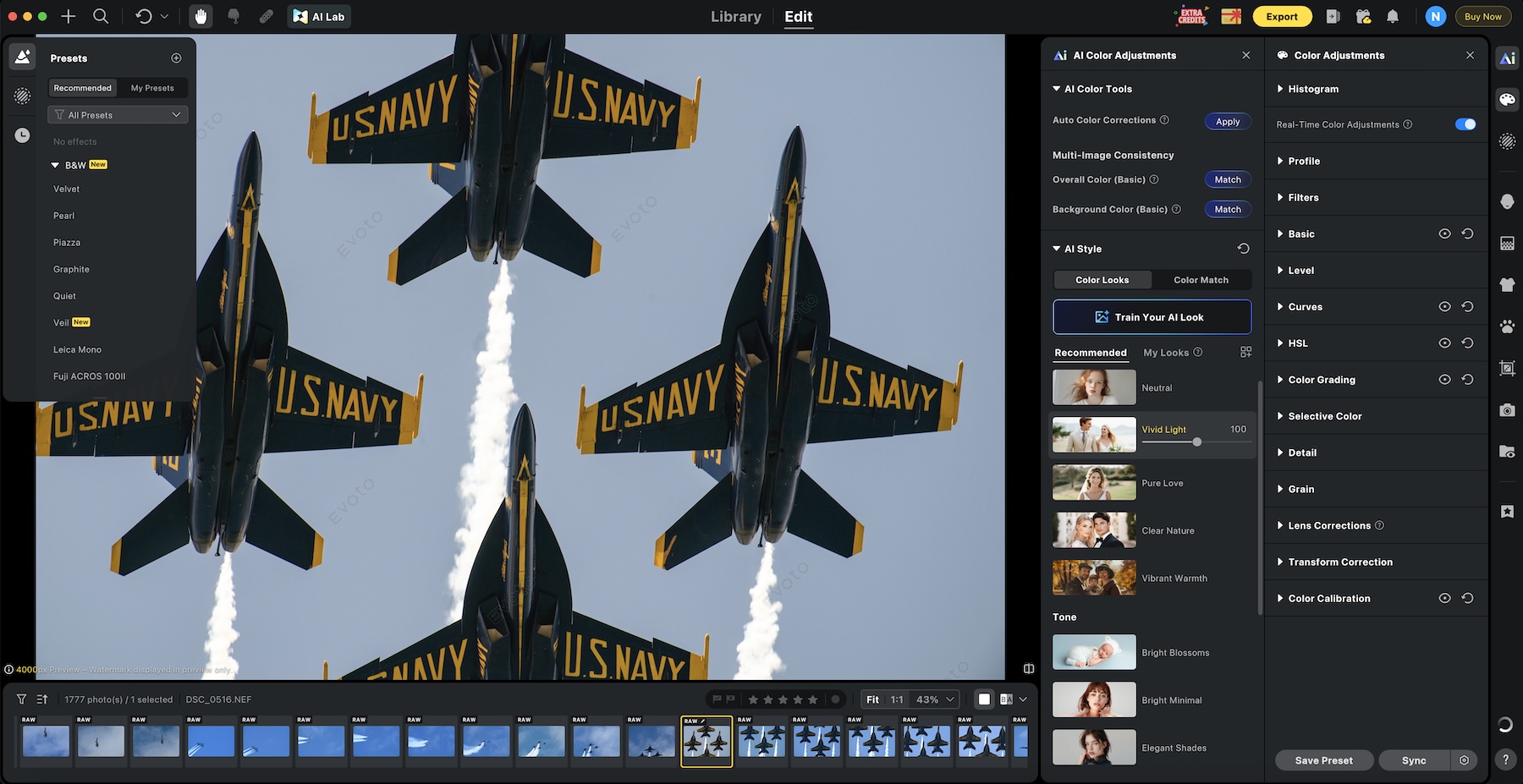
AI Color Adjustments in Evoto AI combine intuitive manual controls with intelligent AI assistance to deliver fast, consistent, and professional color grading across single images or large batches. Photographers can fine-tune exposure, white balance, brightness, tone balance, HSL, curves, and color masking in a Lightroom-style interface, while AI-powered tools like AI Color Match intelligently transfer the tone, mood, and color profile from a reference image to an entire set – ensuring unified results even when lighting varies across a wedding, event, or portrait session. This hybrid approach allows for both precise creative control and automated corrections that adapt naturally to skin tones, backgrounds, and subject matter, dramatically reducing the time spent chasing color consistency while preserving a realistic, non-plastic look that clients expect from professional work.
AI Color Adjustments
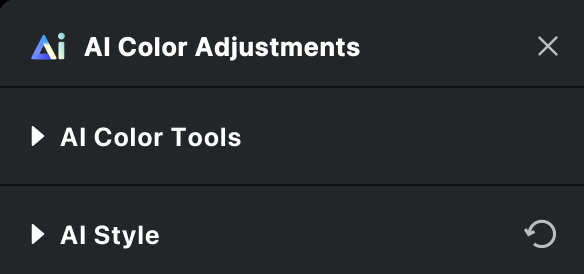
AI Color Adjustments in Evoto AI is a comprehensive, intelligent color grading system that blends precise manual controls with powerful AI-driven tools to deliver fast, consistent, and natural-looking results for individual images or large batches.
The AI Color Tools provide an intuitive Lightroom-style panel for fine-tuning exposure, white balance, brightness, tone balance, HSL, curves, color masking, and filters, while AI-powered features like AI Color Match allow photographers to instantly transfer the tone, mood, and color profile from a reference image to an entire set -ensuring unified results even when lighting conditions vary across a wedding, event, or portrait session. Complementing these are the
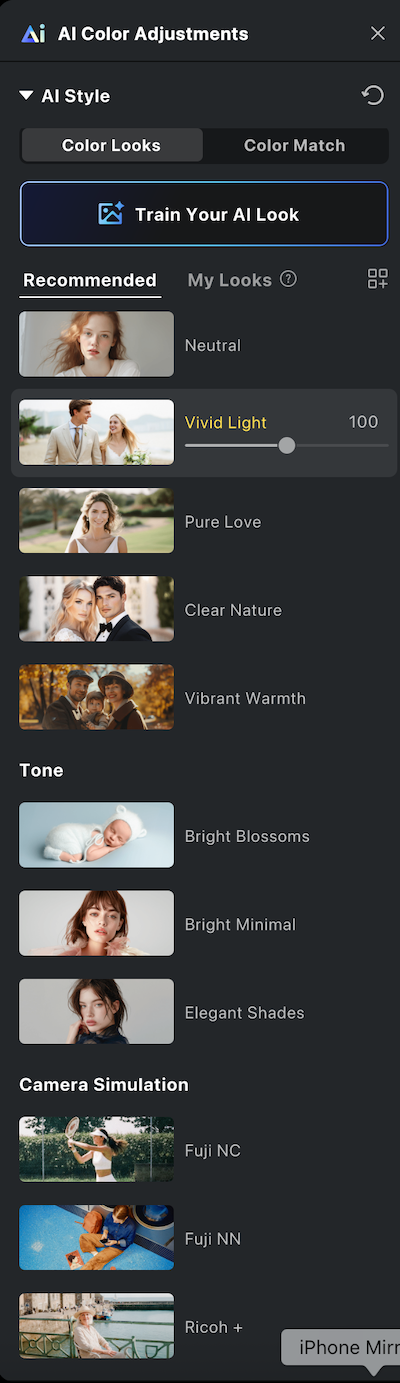
AI Style (also referred to as AI Color Looks) provides one-click, AI-driven stylistic transformations that intelligently analyze each photo and apply a predetermined aesthetic or “vibe” with natural, adaptive results. With over 20 pro-grade options ranging from warm and cinematic to vintage film, bright modern, or clean natural looks, the algorithms automatically correct color, contrast, and tone to match the chosen style while respecting the original image’s lighting and subject characteristics. This makes it exceptionally powerful for high-volume workflows – such as applying a cohesive “film-inspired” or “high-end portrait” look across an entire wedding gallery in seconds – while still allowing photographers to tweak intensity or combine multiple styles for a custom signature aesthetic that elevates their brand without hours of manual grading.
Presets
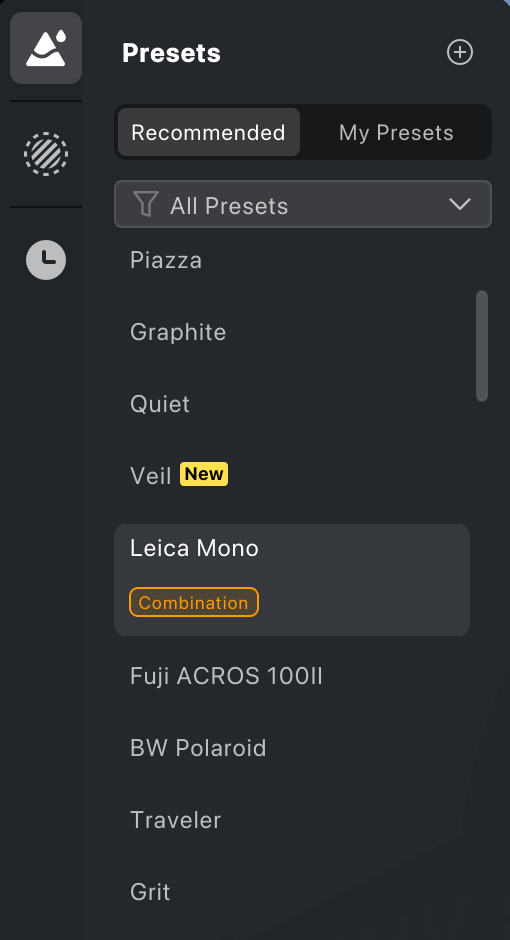
Presets functionality in Evoto AI is a cornerstone of efficient, repeatable workflows, letting photographers save any combination of retouching settings, AI Color Adjustments, AI Styles, and manual tweaks as reusable, one-click presets that can be applied to individual images or synced intelligently across entire batches. Official recommended presets (Natural, High-End Portrait, Event, Cinematic, Family, etc.) provide excellent starting points, while users can easily create and organize their own custom presets, capturing a specific color grade plus skin and hair retouching, for example, and apply them consistently across future shoots or different devices via cloud sync. This system not only slashes editing time on high-volume jobs but also helps maintain a recognizable, professional style that strengthens a photographer’s brand identity and enables faster client deliveries.
AI Lab
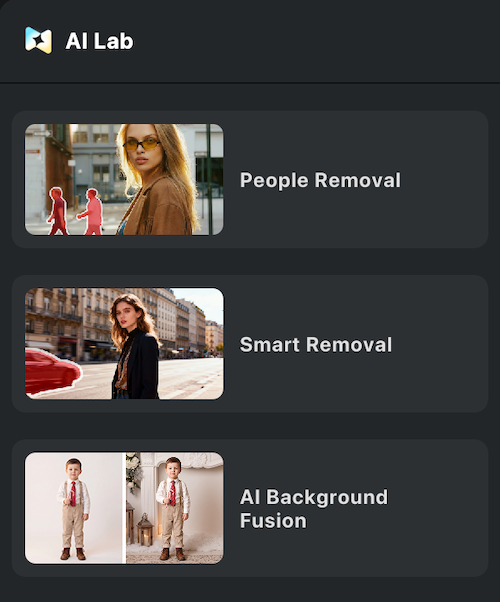
AI Lab in Evoto AI is a dedicated creative hub (accessed via an icon in the top-left of the Edit interface) that houses advanced, high-resolution AI tools designed for complex editing tasks beyond standard retouching. It specializes in intelligent removal and compositing features, such as People Removal (with auto-detection and passerby selection to cleanly eliminate unwanted individuals from backgrounds), Smart Removal / AI Object Remover for distractions, and AI Background Fusion, which enables sophisticated cutouts and scene compositing, perfect for placing subjects into new environments like school gymnasiums, stages, or custom backdrops. These generative tools deliver professional-grade, full-resolution results while preserving natural lighting and edges, making them invaluable for wedding, event, school, and portrait photographers who frequently need to clean up busy scenes or create polished composites without hours of manual masking in Photoshop. By consolidating these powerful capabilities into one streamlined workspace with its own credit model for generative actions, AI Lab significantly expands Evoto’s utility from fast retouching into true creative production, helping photographers deliver cleaner, more polished final images efficiently.
Evoto Mobile and Evoto Online

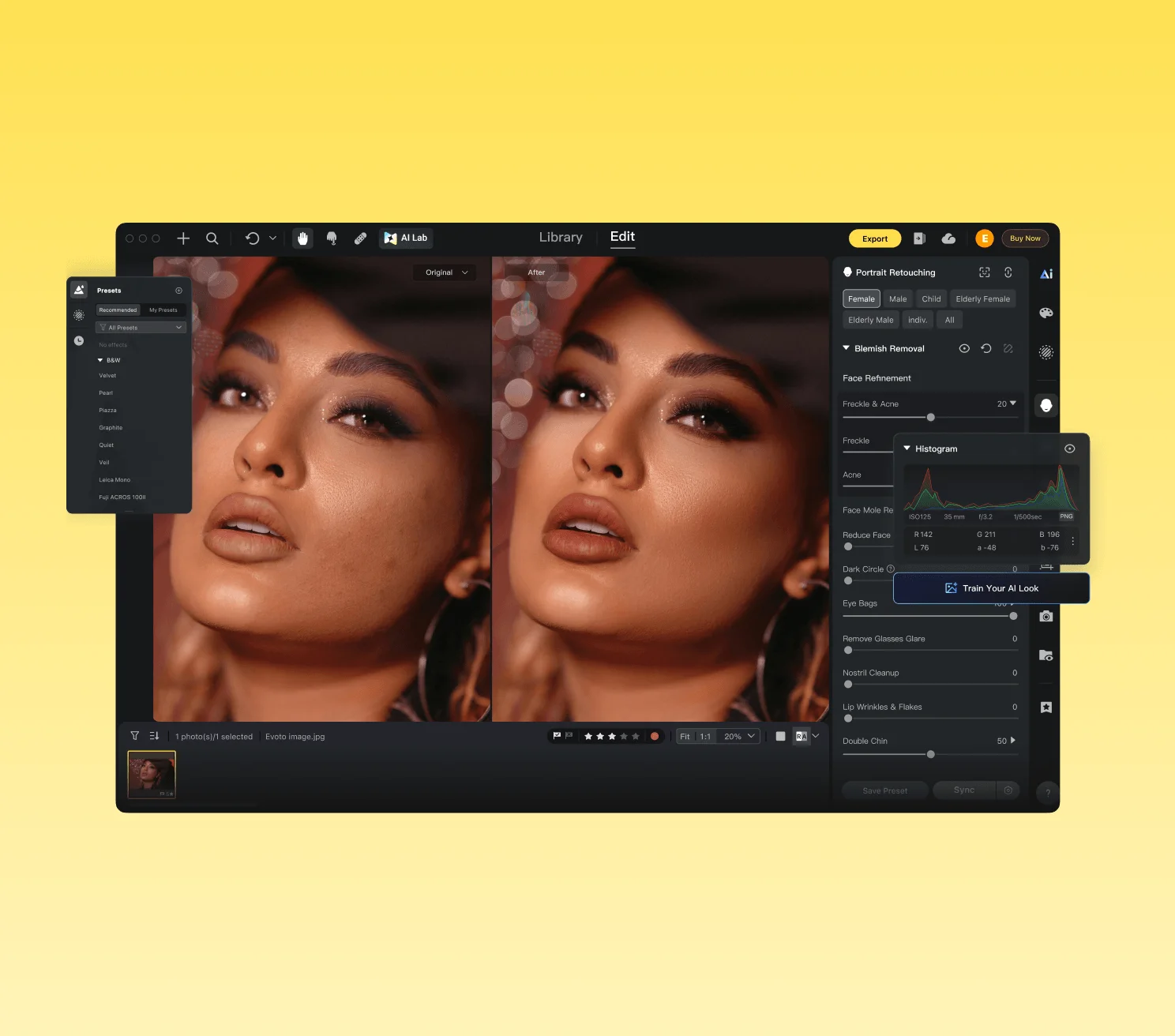
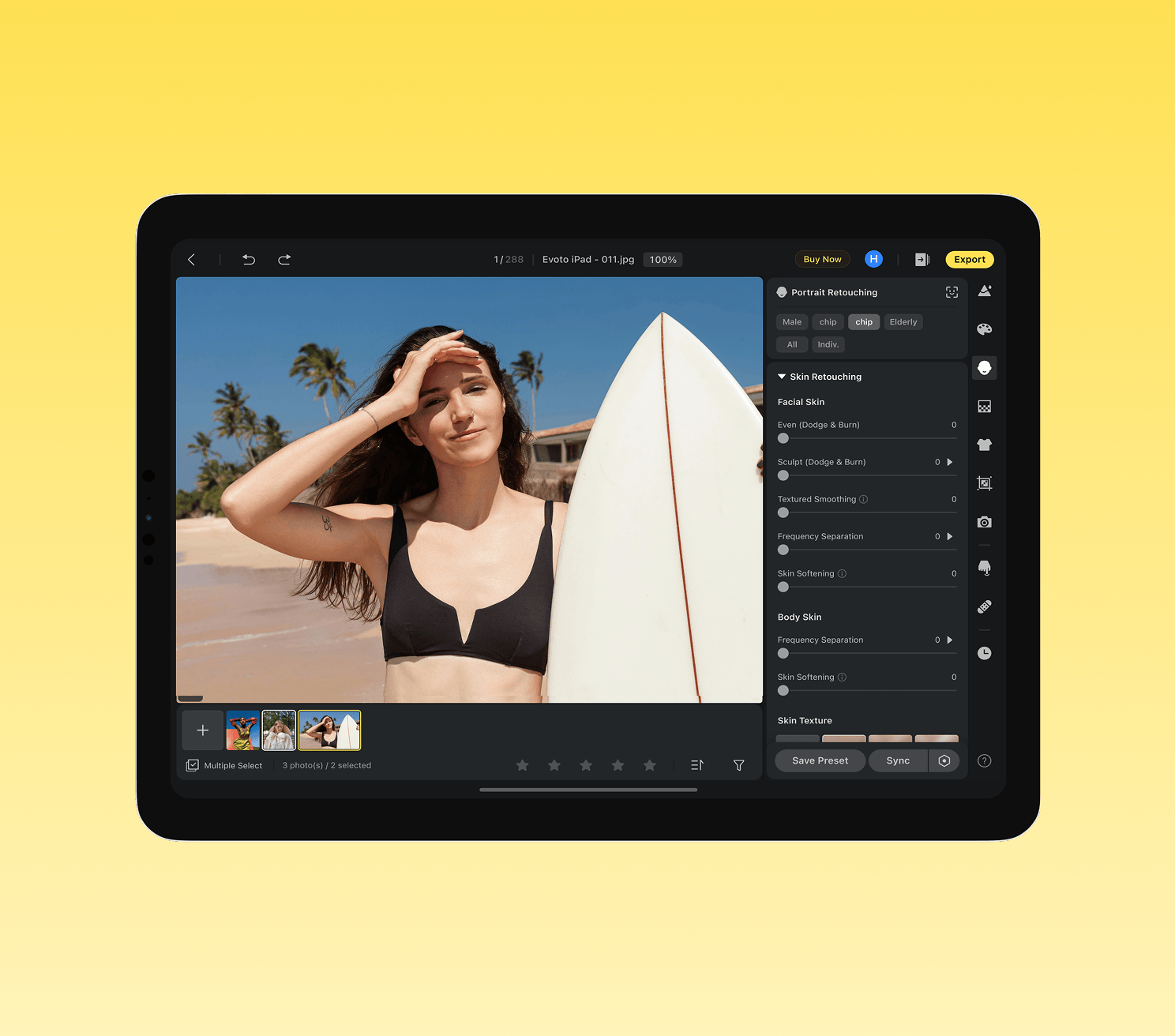
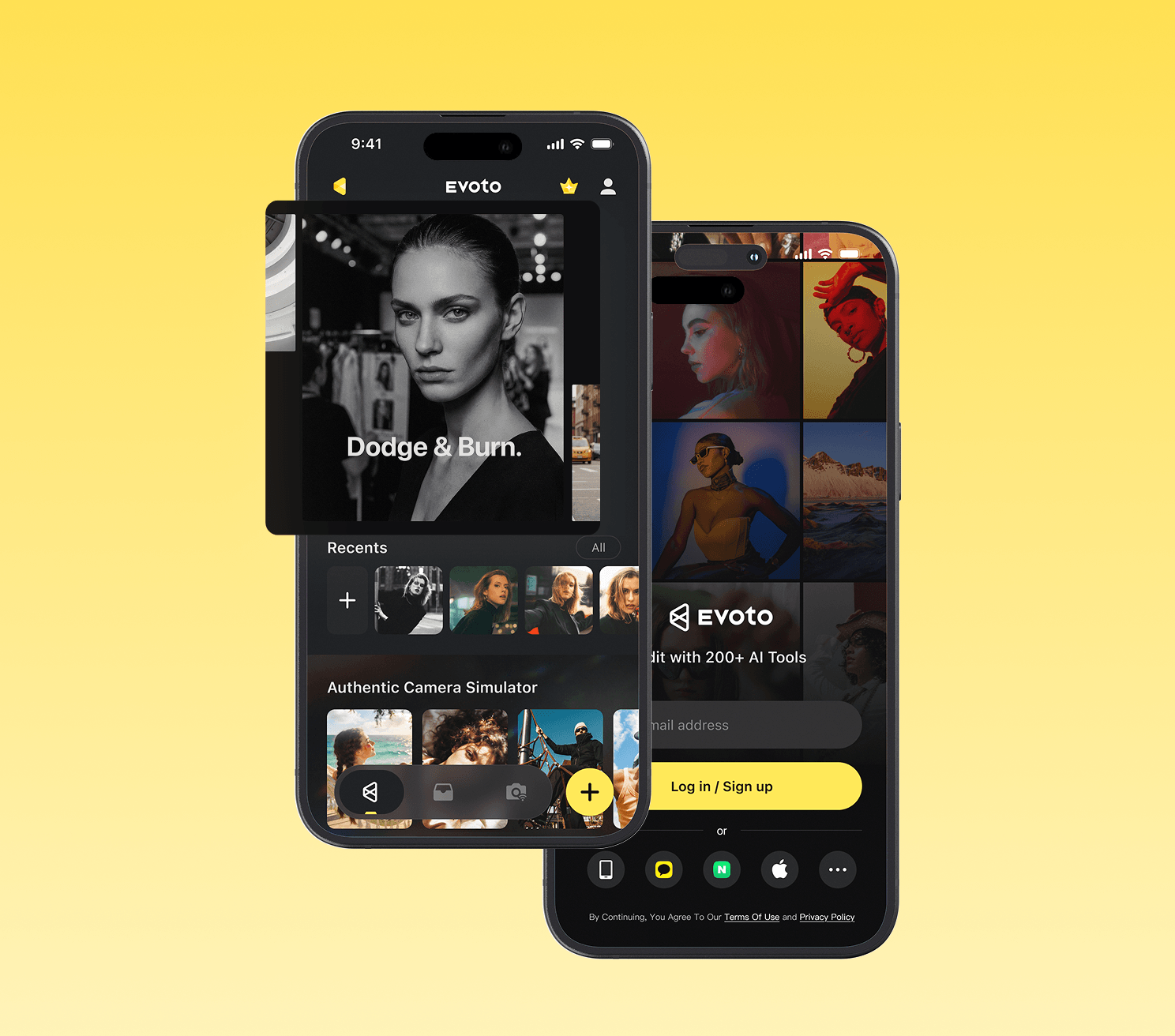
Evoto Mobile and Evoto Online extend the power of Evoto AI beyond the desktop, giving photographers true flexibility across devices and locations.
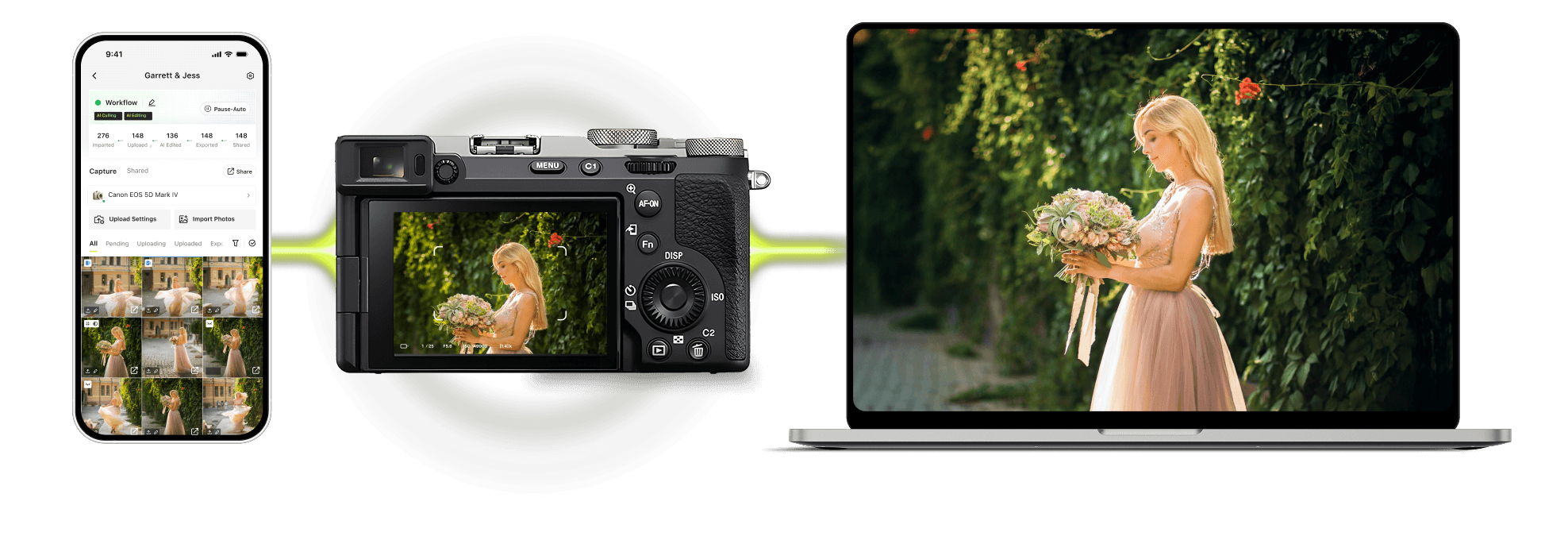
The Mobile version (available on iPad and smartphones) delivers a full-featured AI editing experience optimized for on-the-go use, supporting portrait retouching, color correction, batch processing, preset application, and even tethered shooting directly from compatible cameras. This makes it ideal for location photographers who want to cull, retouch, and show clients polished previews in real time, often closing sales on-site before leaving the session.
Evoto Online is a browser-based editor that provides instant access to core AI tools without installing software, making it especially useful for quick edits, e-commerce product work, background removal, and color adjustments on any computer. Both versions sync seamlessly with the desktop app via the cloud, allowing photographers to start a project on their main workstation, continue refining on an iPad while traveling or at a client meeting, and even perform light edits or client proofing in a browser when needed. Together, they transform Evoto from a powerful studio tool into a complete, location-independent workflow solution that keeps high-quality AI retouching and color work accessible wherever the photographer works.
Evoto Beta and Stable Versions
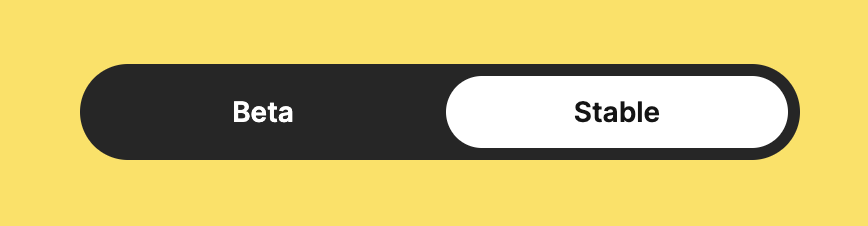
When downloading Evoto AI, users can choose between the Beta and Stable versions, giving photographers flexibility depending on their priorities.
The Stable version is the recommended choice for most professional users, as it offers a thoroughly tested and reliable experience with fewer bugs, making it ideal for high-volume workflows where consistent performance is critical.
In contrast, the Beta version provides early access to the newest features, AI tools, and improvements – often updated weekly, allowing photographers to test cutting-edge capabilities before they reach the stable release. While the Beta channel is excellent for those who enjoy experimenting with the latest innovations and don’t mind occasional glitches, most working photographers opt for the Stable version to maintain smooth, uninterrupted editing sessions. Evoto makes it easy to switch between the two on their download page, so users can start with Stable for reliability and move to Beta when they want to explore upcoming tools.
Brand Description

Streamlining the workflow for professional photographers worldwide, powered by AI.
Evoto was founded with a clear mission: let AI handle the repetitive “pixel work” so photographers can focus on creativity, storytelling, and client relationships. The company (led by founder/CEO Mitta) has grown rapidly by targeting high-volume professionals – wedding, portrait, newborn, event, school, and commercial shooters, as well as studios that need consistent results at scale.
It claims a large global user base (1M+ photographers across 200+ countries/regions and tens of thousands of collaborating studios). The brand emphasizes ethical AI practices: images are not used to train models without consent, and the platform is GDPR/CCPA compliant with secure cloud options for collaboration and cross-device sync.
Recent expansions (desktop 6.x updates, mobile/Instant apps, and video tools) show Evoto evolving from a specialized retoucher into a broader workflow platform that competes with traditional tools while carving out its AI-retouching niche.
Workflow Examples & Real-World Use Cases
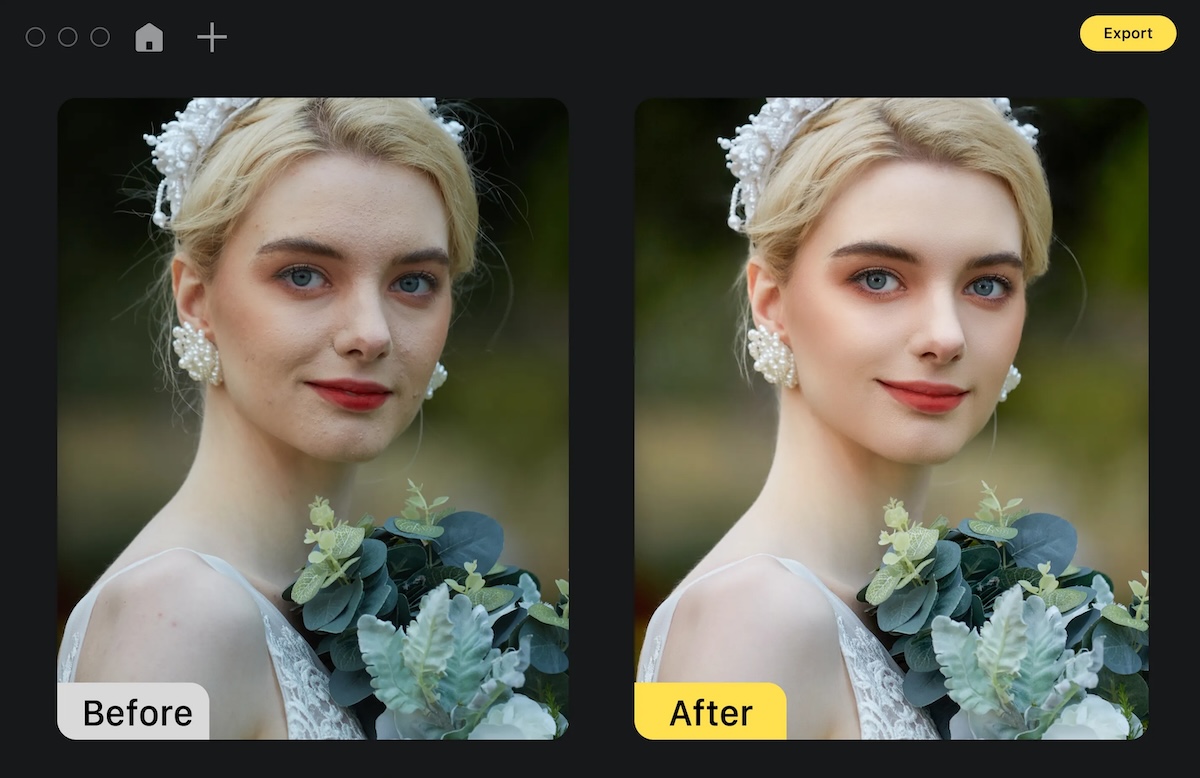
Typical high-volume wedding or event workflow:
- Shoot tethered (wired or wireless) directly into Evoto for instant previews and early polishing.
- Run AI Smart Culling to quickly eliminate blinks, blur, and duplicates.
- Apply or create a portrait preset (skin, hair, glare, teeth) and sync across the gallery, the AI handles per-face variations intelligently.
- Quick global or selective color grading.
- Export and deliver same-day or push to the Instant Photo Gallery for client viewing/proofing.
Many users report turning what used to be multi-day editing marathons into same-day or next-day deliveries, which improves cash flow and client satisfaction.
Portrait/headshot/fashion studio use case: Photographers often export selects from Capture One or Lightroom into Evoto for targeted cleanup (skin, stray hairs, clothes, background), then do final polish back in their main editor if needed. The per-face controls and masking tools make it excellent for preserving natural skin texture while quickly removing distractions.
On-location/mobile use case: With the iPad or mobile apps, photographers can retouch on-site, show clients polished previews in real time, and even close sales before leaving the location, a game-changer for tourist, event, or mini-session shooters.
Hybrid workflow tip (from working photographers): Do primary color correction in your usual raw processor, export selects to Evoto for AI retouching and cleanup, then finish any ultra-fine texture work in Photoshop only where necessary. This minimizes credit usage while maximizing speed.
Other niches: Newborn and maternity photographers appreciate the gentle, texture-preserving skin tools. E-commerce and content creators use the browser version for quick background removal and product cleanup. Video users are exploring newer video retouching tools to achieve consistent skin and color across talking-head or event footage.
Pricing & Value Proposition
Evoto uses a credit-based model that’s different from traditional subscriptions:
- Editing, previewing, and most tools are free.
- Exporting an image typically costs 1 credit per photo (some advanced generative features may cost more – you’ll see the exact cost before exporting).
- Credits are purchased via annual subscription plans (best value, with rollover and cheaper add-on packs) or pay-as-you-go (more expensive per credit, 2-year expiration).
Approximate annual subscription tiers (as of mid-2026; check site for current):
- Starter: ~800 credits (~$89/yr)
- Basic: ~1,600 credits (~$149/yr)
- Higher tiers scale up to 24,000 credits with better per-credit pricing and add-on discounts.
Pay-as-you-go options start around 200 credits for ~$49. New users usually get starter credits (often 15+), and referrals can add bonus credits.
Value verdict: For high-volume pros who deliver hundreds or thousands of images per month, the time savings (often cited as 5+ hours/day or cutting multi-day jobs to an hour) can easily justify the cost and even increase profitability by enabling faster turnarounds or bringing retouching in-house. Hobbyists or very low-volume shooters may find the credit model less attractive. Some users have noted past price adjustments, so it’s worth modeling your typical monthly exports before committing.
Pros & Cons
Pros:
- Exceptionally fast and natural-looking portrait and subject retouching.
- Intelligent batch/sync tools that adapt per image.
- Strong tethered + culling + retouch + delivery workflow in one app.
- Cross-platform sync (desktop ↔ iPad ↔ mobile).
- Ethical/privacy stance and regular feature updates.
- Free to experiment until you export.
Cons:
- The credit system requires planning (especially for very high volumes or if you re-export after external edits).
- Not a full layer-based compositor like Photoshop – best used for targeted cleanup rather than heavy compositing.
- AI tools (especially culling or complex backgrounds) sometimes need manual refinement.
- Extreme close-ups or ultra-high-end skin texture work may still benefit from finishing in Photoshop.
Overall verdict: Evoto AI is one of the strongest specialized AI retouching tools available to professional photographers in 2026, particularly for portrait, wedding, and event work, as well as any high-volume work where speed and consistency matter. It won’t completely replace a skilled retoucher or your full creative suite for every job, but it dramatically accelerates the most time-consuming parts of the job while delivering results that clients and photographers describe as natural rather than “AI-plastic.”
Conclusion
Evoto AI stands out as one of the most capable and photographer-focused AI editing platforms available in 2026, combining powerful per-face retouching, intelligent batch processing, advanced color tools (including AI Color Match and AI Style), creative features like the AI Lab for object removal and background fusion, and seamless cross-platform support across desktop, mobile/iPad, and browser versions. By automating the most time-consuming aspects of post-production while still giving photographers precise control and natural-looking results, it enables faster turnarounds, consistent quality across high-volume shoots, and even on-site client presentations that can directly boost sales. While its credit-based pricing model requires some planning, especially for high-volume users, the significant time savings and workflow efficiency often make it a worthwhile investment for professional wedding, portrait, event, and studio photographers. For anyone looking to reduce editing burnout, bring more work in-house, or simply deliver polished galleries faster without sacrificing quality, Evoto AI is well worth testing. Photographers can download the desktop app or try the mobile and online versions for free to experience how it fits into their own workflow.