DxO released PhotoLab 10. The new version adds Depth Masks that use AI-generated depth maps to target foreground, midground, or background without embedded depth data; a new color-grading wheel for independent (or linked) shadows, midtones, highlights, and overall balance; expanded AI masks that can isolate every person or individual features such as eyes, hair, lips, eyebrows, iris, sclera, teeth, and facial hair, plus U Point refinement of those masks; RAW-level automatic sensor-dust removal; a Control Brush and elliptical Control Points; one-click send to Affinity for pixel work; and smaller workflow extras including as-shot crop ratios, in-library histogram edits, better database backup, and easier folder relocation.
You can get a DxO discount with promo code RUMORS (new customers only).
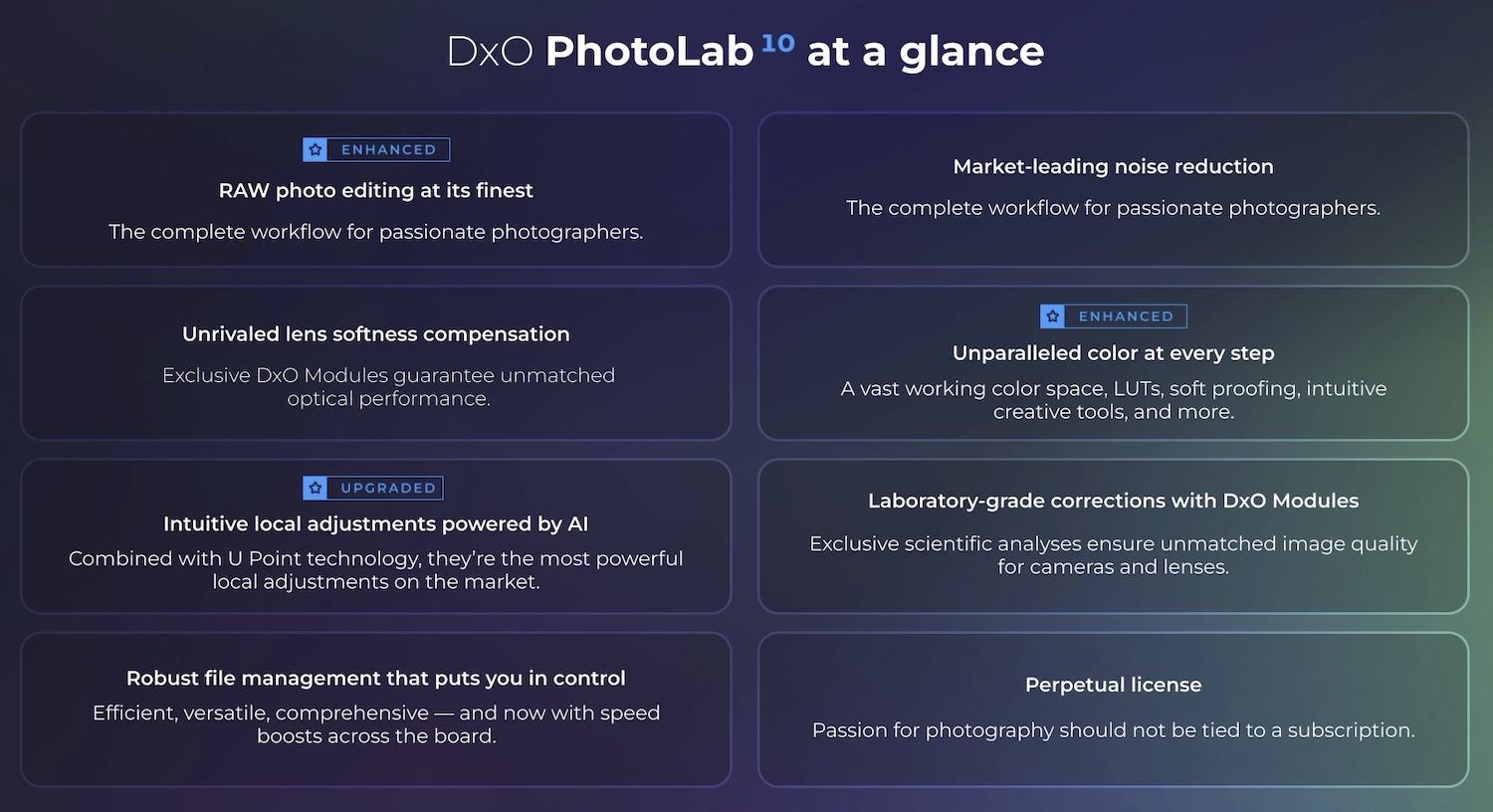
Additional information:
DxO PhotoLab 10 delivers a new era of RAW photo editing with depth masks, advanced color grading, and expanded AI-powered tools
New AI editing tools, enhanced U Point™ technology, and one-click pixel editing in Affinity raise the bar for what a RAW workflow can be.
Paris, France: DxO, a pioneering force in photo editing software for more than two decades, has long helped photographers achieve the highest image quality through breakthrough RAW processing, advanced denoising technologies, and market-leading optical corrections. Today, the company announces the launch of DxO PhotoLab 10, the world’s most advanced end-to-end RAW photo editing software. While DxO has traditionally focused on extracting every ounce of quality from a RAW file, Version 10 expands that vision with a new generation of masking tools, powerful color grading capabilities, smarter AI-assisted workflows, and a seamless connection to Affinity for pixel-level editing — giving photographers greater creative control than ever before.
“DxO PhotoLab 10 is about helping photographers work faster, more precisely, and more creatively,” explains Jean-Marc Alexia, VP of Product Strategy. “By combining depth-aware masking, advanced color grading, and smarter AI-assisted tools, we’re removing technical barriers while giving photographers even greater control over their images. For us, AI should help photographers realize their vision, not replace it.”
Depth Masks: a new dimension of selective editing
DxO PhotoLab 10 introduces Depth Masks, a powerful new way to create local adjustments based on distance from the camera rather than shape or color. Using AI to analyze the image and generate a detailed depth map, Depth Masks allow photographers to precisely target foreground, midground, or background elements without requiring embedded depth data.
After applying a filter or adjustment, photographers can use intuitive sliders and adjustable feathering handles to refine exactly where the effect appears within the scene. The result is smooth, natural transitions and highly precise selective edits that would otherwise require complex and time-consuming manual masking.
Advanced color grading for refined creative control
DxO PhotoLab 10 introduces a powerful new Color Grading tool designed to make advanced color work both intuitive and precise. A streamlined interface centered around a single color wheel allows photographers to independently adjust shadows, midtones, highlights, and overall color balance, making it easy to shape the mood and atmosphere of an image.
For even greater creative control, color adjustments can be linked across tonal ranges, preserving their relative relationship while exploring different looks. The result is a faster, more intuitive approach to color grading that offers both flexibility and consistency.
Expanded AI capabilities
DxO PhotoLab 10 expands its AI-powered editing tools to make complex edits faster and more efficient.
Individual people selection
AI Masks can now identify every person within a scene, allowing photographers to create a single mask for all people, combine selected people into one mask, or generate individual masks for as many people — or individual features of people such as eyes, hair, and lips — as needed. This makes group portraits and complex scenes faster and easier to refine.
Face segmentation
Face segmentation brings new precision to portrait editing, adding eyebrows, eyes, iris and pupil, sclera, teeth, facial hair, face skin, and lips to the list of selectable AI Mask categories. Alongside existing options such as sky, subject, background, people, animals, flowers, and vehicles, these new categories help photographers target detailed adjustments more efficiently.
U Point™ functionality in AI Masks
AI Masks can now be refined using DxO’s renowned U Point™ technology, which intelligently selects areas based on color and luminosity. After creating an AI-powered selection, photographers can use the familiar U Point eyedropper to expand or contract the selection, making it easy to fine-tune complex selections without resorting to manual painting.
Automatic sensor dust removal
DxO PhotoLab 10 also introduces AI-powered dust removal at the RAW level, automatically detecting and removing sensor dust and small imperfections before they interrupt the editing process.
Upgraded local adjustment tools
Long before AI-powered masking became commonplace, DxO’s renowned U Point technology gave photographers an intelligent way to create highly precise local adjustments.
DxO PhotoLab 10 expands these capabilities with a new Control Brush and the ability to switch Control Points from circular to elliptical, giving photographers greater flexibility when creating local adjustments. The Control Brush combines the familiarity of traditional brush painting with U Point’s intelligent color- and luminosity-based selection, while elliptical Control Points provide a more natural fit for many subjects.
Combined with AI Masks and the new Depth Masks, these tools allow photographers to choose the most effective selection method for every image, then refine masks using whichever technology best suits the task. Sophisticated local adjustments become faster, more intuitive, and more precise.
A direct path to pixel-level editing in Affinity
DxO PhotoLab 10 introduces a seamless connection to Affinity, the acclaimed professional image editing software. A new button, sitting alongside PhotoLab’s existing export options, sends a photograph directly into Affinity for pixel-level work: retouching, compositing, and fine detail manipulation.
The combination brings together the best of both worlds: DxO’s unrivaled RAW processing, denoising, and optical corrections as the foundation, and Affinity’s powerful pixel-editing toolset for everything beyond. This marks the first step in an evolving integration between the two applications, with further enhancements planned for future releases.
Further workflow improvements
DxO PhotoLab 10 introduces a range of workflow enhancements designed to streamline the editing experience.
New features include support for as-shot crop ratios, histogram adjustments directly within PhotoLibrary, improved database backup and restoration, and simplified folder relocation management, helping photographers work more efficiently when organizing and editing large image libraries.
Price and availability
DxO PhotoLab 10 is available today from the DxO website (shop.dxo.com) for macOS and Windows computers:
– New license $249.99 / 249,99 € / £229.99
– Upgrade from DxO PhotoLab 8 or 9 $129.99 / 129,99 € / £114.99
A 30-day free trial is available.
DxO released new modules for the latest releases from Canon, Sony, Sigma, Panasonic, and Smayang